Features

Everything built for the dugout

From watch signals to scouting support, every feature earns its place on game day.

Built for the dugout

Every feature earns its spot

Designed around how coaches actually call games, without unnecessary setup.

Real-time
local delivery

Instant Apple Watch Signals

Tap a pitch on your iPhone and send it to Apple Watch before the catcher sets up. Everything stays on your local network, with no internet required during games.

Flexible
delivery targets

Signal Your Way

Send to just the catcher, the pitcher, or your entire battery. Add spectators for assistant coaches and scouts. PitchTAC adapts to your team’s workflow, not the other way around.

Real-time
vitals tracking

Heart Rate Monitoring

Apple Watch tracks your pitcher’s heart rate during games, giving coaches one more clear read on fatigue over the course of a season.

Zero
cloud dependency

Secure & Private

Everything runs on your local network with hardware-level Apple encryption. No internet required during games, no data in the cloud. Your signals stay between your dugout and your players.

Free
for players

Analytics That Flow to Players

Every pitch you call builds a performance profile. Coaches see team-wide trends, and players can review their own data at no additional cost.

Your way
every detail

Fully Customizable

Adjust text size, positioning, and color on the Watch face. Keep things minimal or use fuller game-state tracking as your workflow grows.

Inside the App

See what you're working with

Real screens from the app. No mockups, no concept art — this is how coaches call games.

Core Interface

Call Every Pitch from Your iPhone

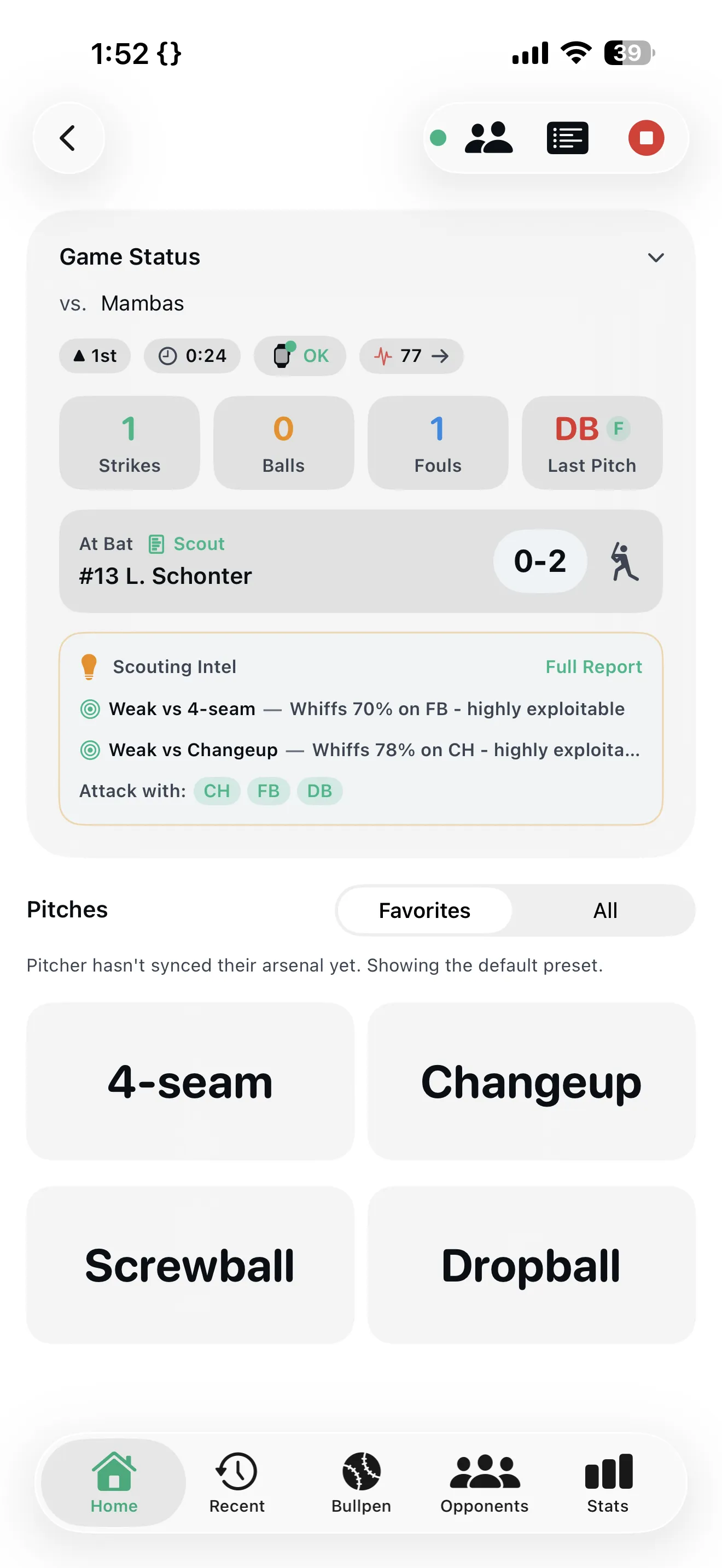
Tap your pitch, it’s on the Apple Watch. One-tap access to every signal — fastball, curve, changeup, or custom plays. Built for the pace of a live game.
< 0.5s
Signal delivery
1 tap
To send
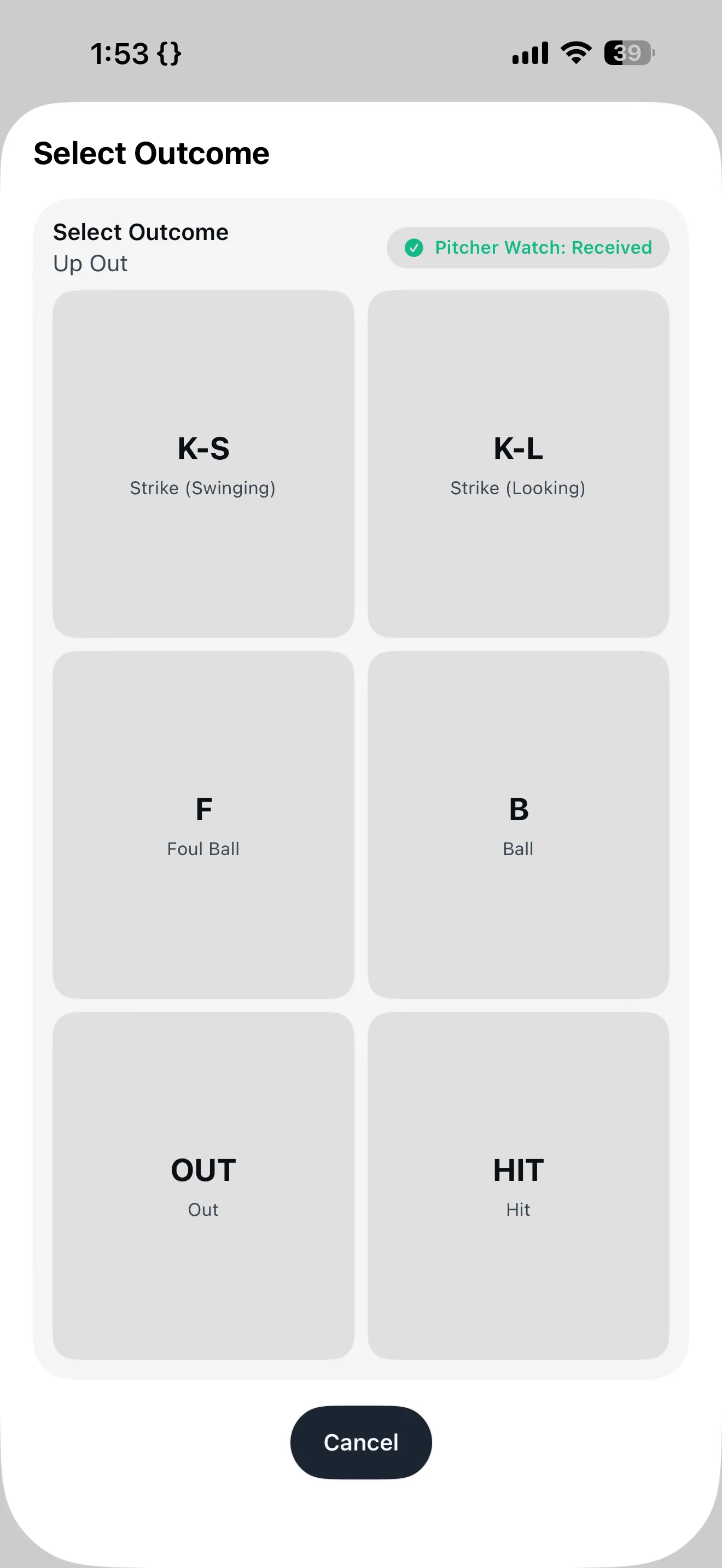
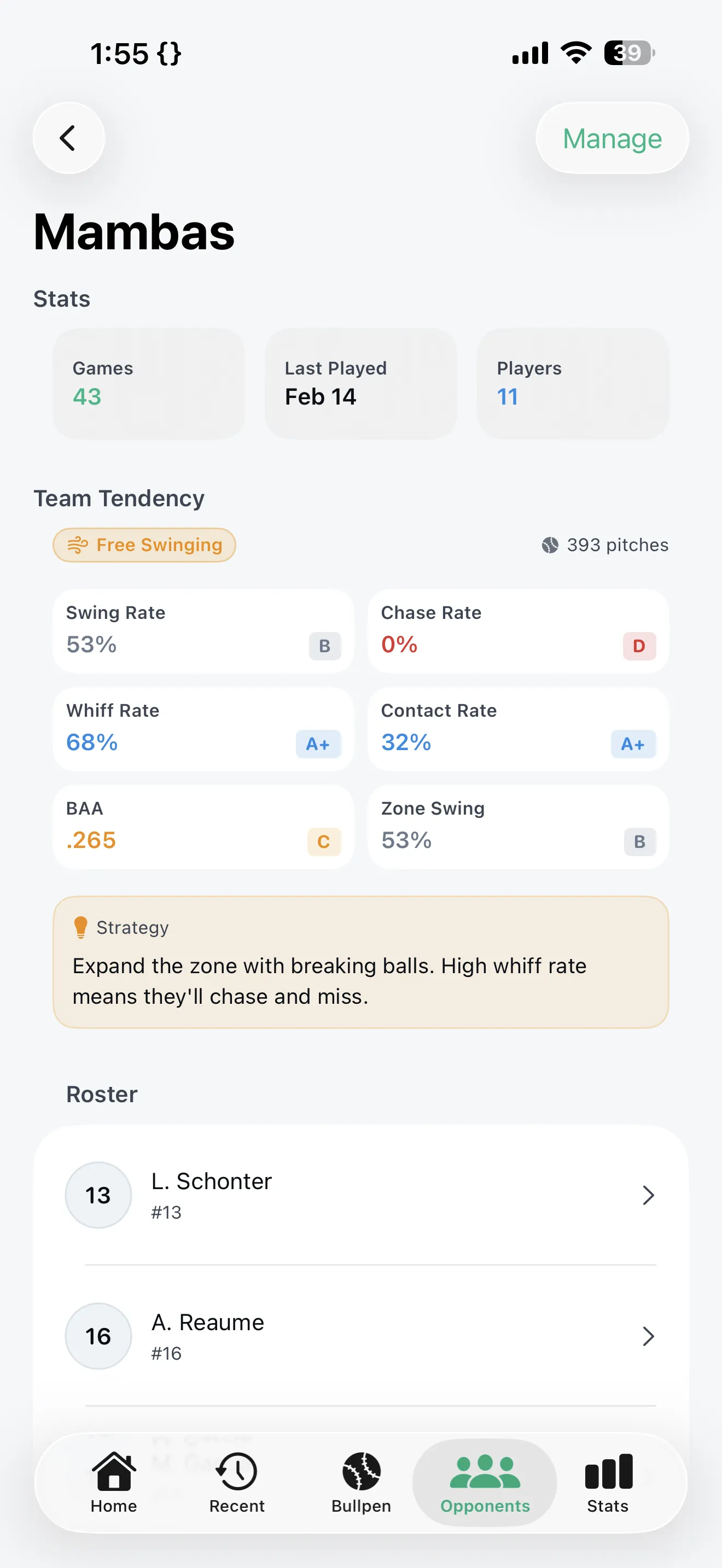
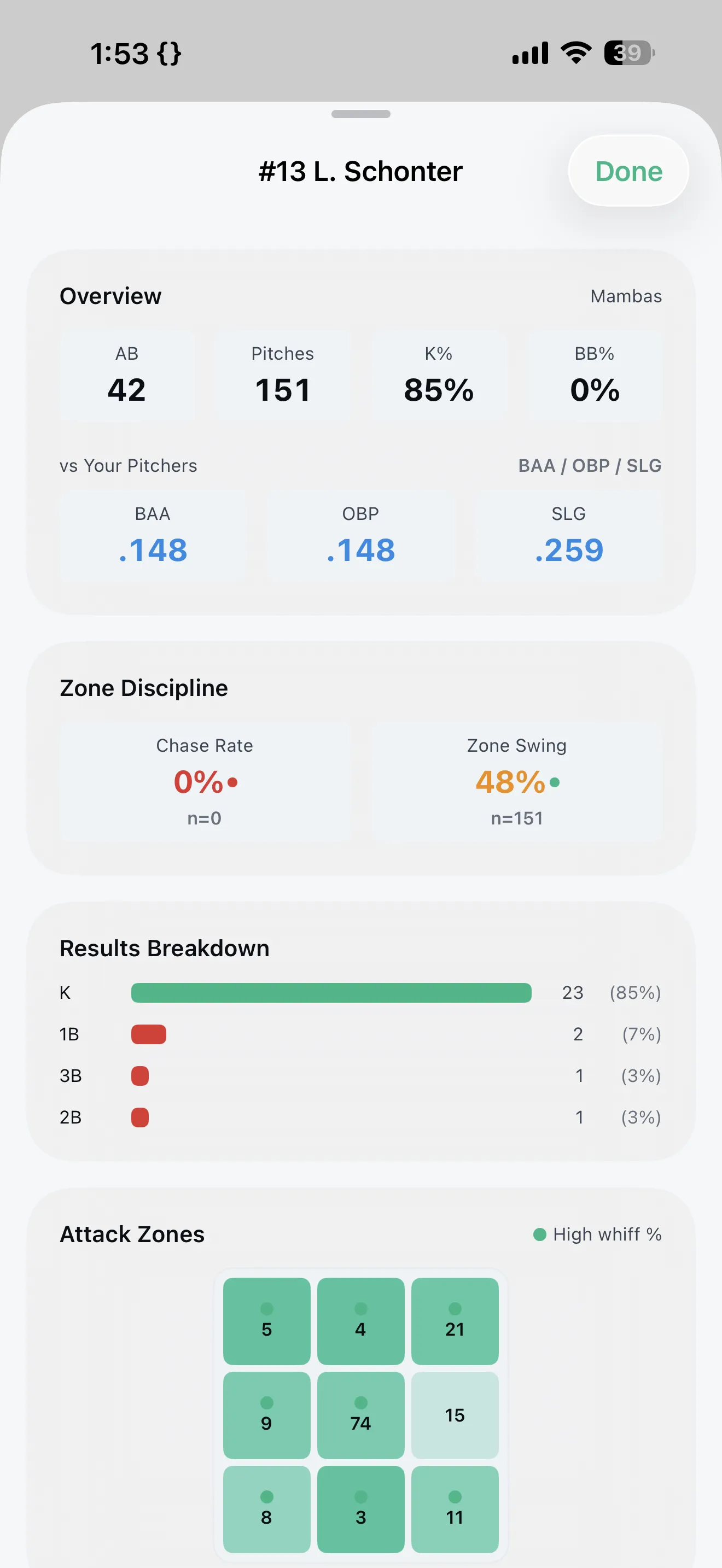
PitchTAC iPhone pitch calling interface with quick-tap signalsPitchTAC scouting analytics with batter heat maps on iPhonePitchTAC outcome tracking and Apple Watch signal confirmationPitchTAC game reports, analytics export, and AI strategy tools
Competitive edge

A cleaner signal workflow from dugout to wrist

Quiet, encrypted pitch communication running on the iPhone in your pocket and the Apple Watch on your player's wrist.

Traditional wristband workflow

  • Players squint at wristbands between pitches
  • Signs can be decoded by attentive opponents
  • Changing signals mid-game means reprinting cards
  • Dedicated signaling hardware adds cost, setup, and one more device to manage
  • No insight into pitcher fatigue or cardiovascular load

PitchTAC workflow

  • Encrypted signals appear instantly on Apple Watch
  • Pro-level pitch communication on devices your team already owns
  • Adjust pitch types and strategies mid-game in seconds
  • Send signals to just the catcher, the pitcher, or your entire battery
  • Apple Watch tracks heart rate so you see pitcher fatigue in real time

Faster Game Flow

Sub-second signal delivery keeps your pitcher and catcher in rhythm. No delays, no confusion.

No Extra Hardware

Runs on iPhone and Apple Watch — no proprietary devices to lease, lose, charge, or return at season’s end.

Stronger Signal Security

Encrypted delivery that’s invisible to opponents. No visible sign system to decode from the dugout or stands.

FAQ

Frequently asked questions

Clear answers on setup, subscriptions, and game-day use.

PitchTAC runs from the coach's iPhone and delivers pitch calls to the assigned player on Apple Watch. Signals move over local device-to-device communication, so the game flow does not depend on internet service at the field.

Players do not need accounts. They join from the PitchTAC iPhone app through nearby discovery, a session code, or an invite link, and then receive signals on Apple Watch once the coach approves their role.

Yes. Coaches control role assignment during setup and can manage players from the live session sheet. PitchTAC supports pitcher, catcher, player, and spectator workflows depending on the session and subscription tier.

No. Coaches subscribe for advanced features. Players join sessions for free on their own devices, and eligible player-facing data is included through the coach's subscription tier.

Yes. Players use PitchTAC on iPhone, and the Apple Watch companion app handles live reception during games. The iPhone should stay nearby so the watch relay remains active.

PitchTAC requires an iPhone running iOS 16 or later for coaches. Players need an Apple Watch Series 6 or newer running watchOS 9 or later for live watch reception.

Yes. When heart rate sharing is enabled and permission is granted, PitchTAC can display live pitcher heart rate during games. Availability depends on the assigned role, watch support, and subscription tier.

No. PitchTAC uses local device-to-device communication, so live signaling does not depend on cell service or field Wi-Fi.

Signals are delivered only to approved participants in the session. That removes the visible sign system opponents would normally try to decode from the field or dugout.

Bullpen gives you 50 pitches per week on a single device with quick tracking. It is designed for evaluation, practice sessions, and smaller workflows before moving up to Gameday or Command.

Still have questions?

We're here to help. Reach out and we'll get back to you quickly.

Contact Support

Ready to signal smarter?

Move to a simpler signal setup for your staff and players.