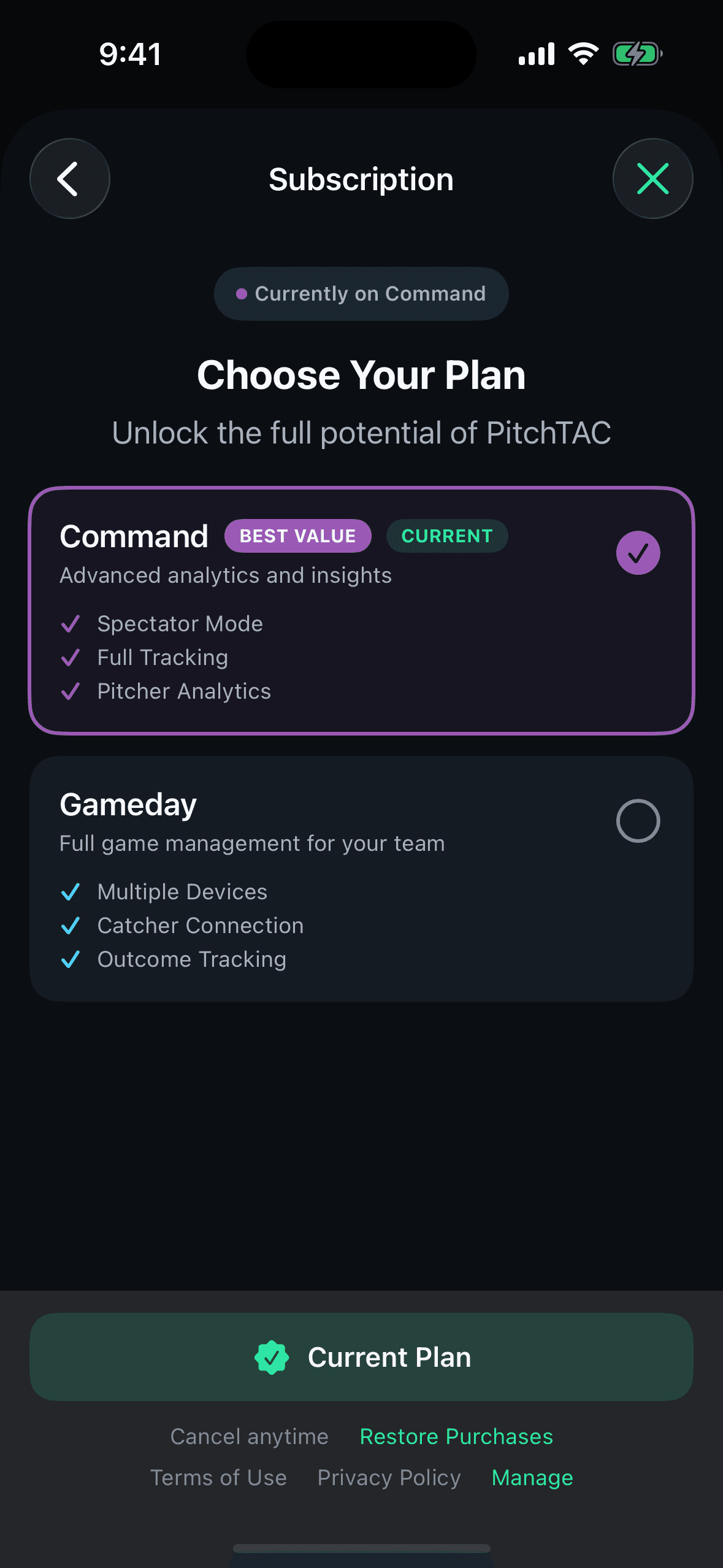
Upgrade your plan
Coaches choose a subscription tier during onboarding. The tier determines which features are available. See Subscription Tier Details for the full breakdown. You can compare all features side-by-side during onboarding by tapping Compare all features.
- 1
Compare the available tiers first
Coaches choose a subscription tier during onboarding. The tier determines which features are available. See Subscription Tier Details for the full breakdown. You can compare all features side-by-side during onboarding by tapping Compare all features.
- 2
Upgrade when the workflow actually requires it
Standard (multi-device) mode — Connect multiple player devices. Catcher connection — Direct connection to catcher's device. Outcome tracking — Track balls, strikes, hits, and outs. Standard tracking mode — Pitch type + location + outcomes. Batter tracking — Track the current batter and at-bats. Opponent management — Create and manage opposing teams and rosters.
- 3
Confirm the feature gate is gone after purchase
Profile — Edit display name and avatar. Manage Plan — View current subscription, upgrade, or manage in the App Store. Restore Purchases — Restore previous purchases.
Upgrade trigger
The cleanest time to upgrade is before you start building a multi-device live session. Doing it at the field is avoidable friction.
Reference
Product screenshot.